Tunewise
A transparent Windows 10/11 optimizer: every change is verified and can be undone exactly.
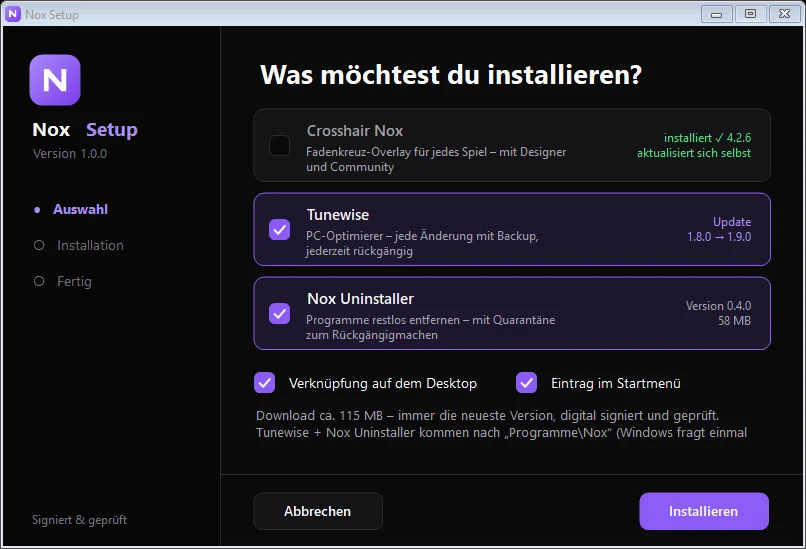
Nox Setup installs the newest version of Tunewise, checks its signature and keeps it up to date. Windows asks once for administrator rights.
Take a look
See it in action
Real screenshots from Tunewise — click an image for the full view.
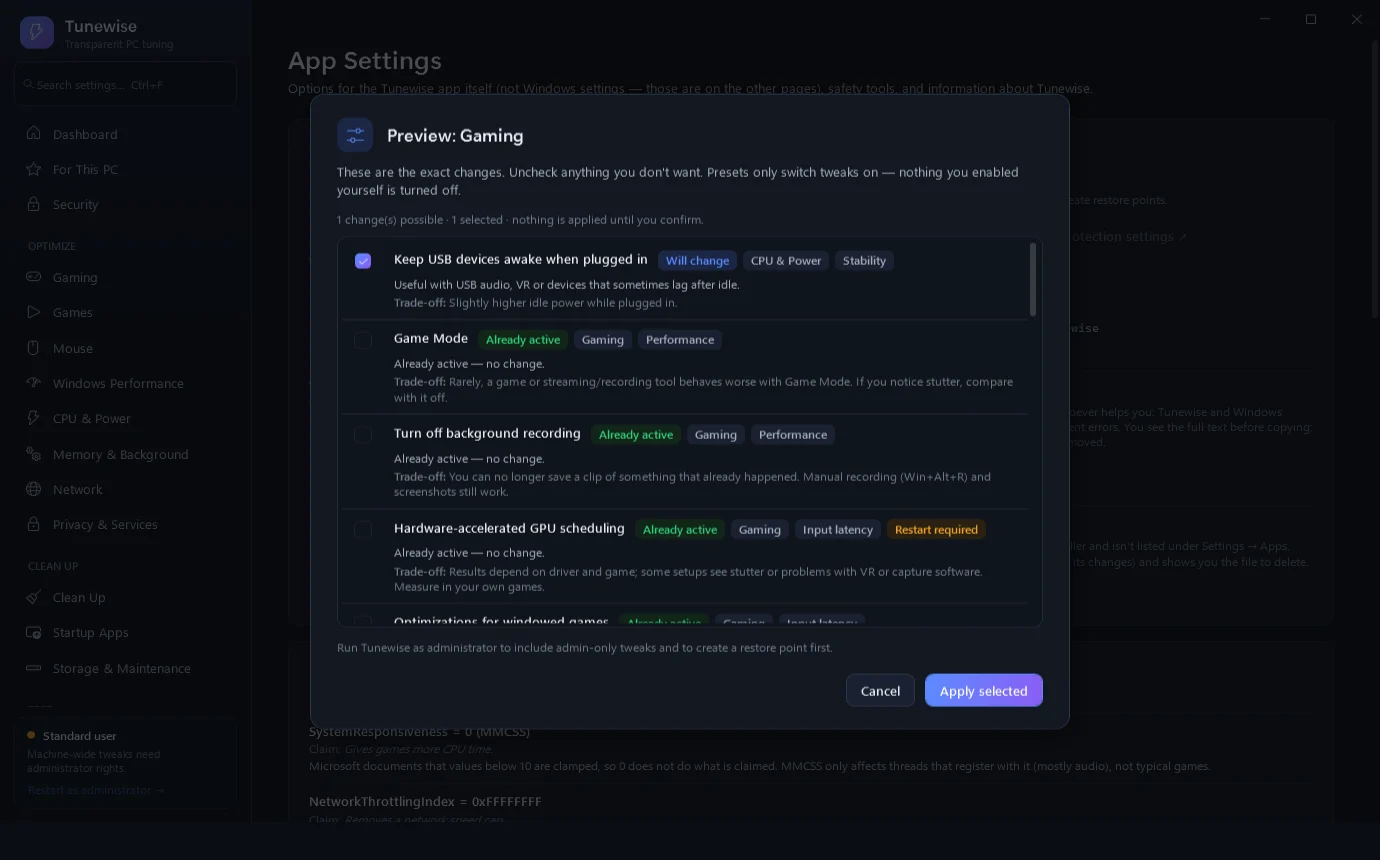
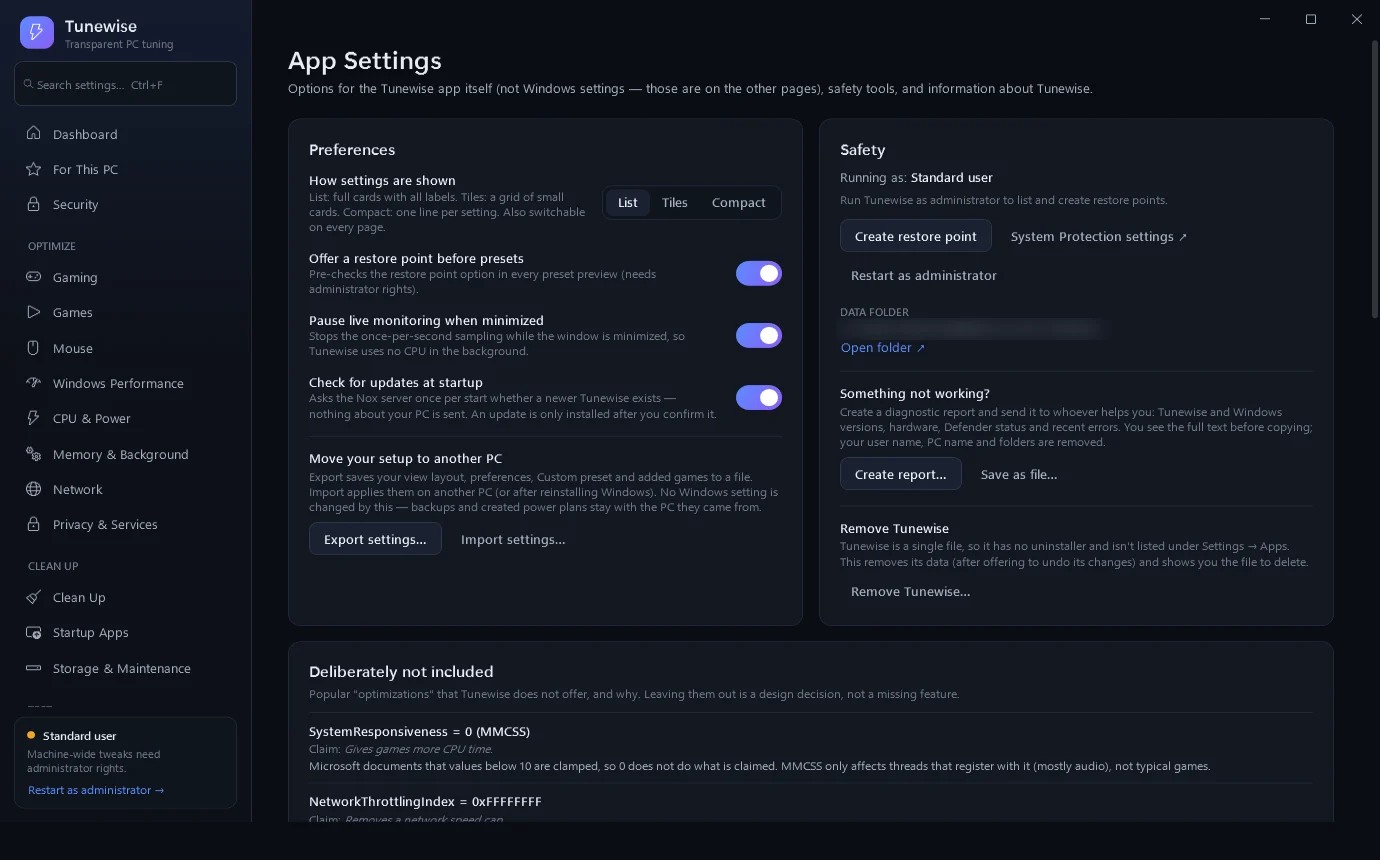
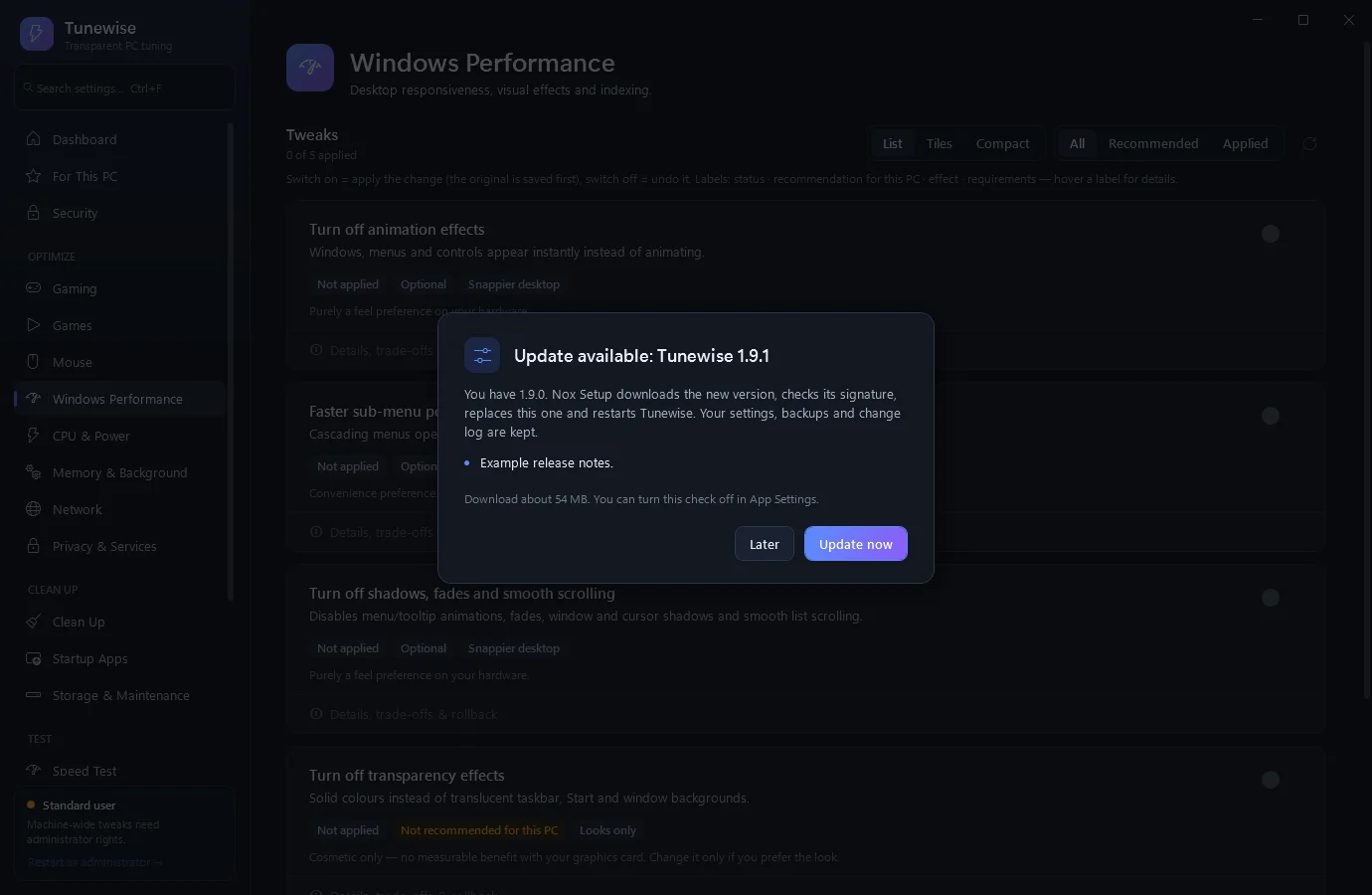
Preset preview: you see every change first and decide what gets applied.
How it works
Ready in a few steps.
- 1
Install
Start Nox Setup, tick “Tunewise” — done. Nox Setup always fetches the newest signed version.
- 2
Preview first
Pick a preset or single settings. Tunewise shows exactly what changes and why — before anything happens.
- 3
Apply
Every change is verified; the original value is saved first and recorded in the change log.
- 4
Undo any time
Revert single changes or everything at once, exactly as it was.
Tunewise optimizes Windows with documented mechanisms only — no secret registry hacks and no placeholder buttons. Every change is verified, and the original value is saved first so it can be restored exactly. Recommendations depend on your hardware, and there are no FPS promises or boost scores.
It includes a live dashboard, gaming and per-game settings, a mouse sensitivity converter, startup-app analysis, junk-file cleanup, a speed test, a hardware test with PC score, and before/after measurements.
Features
- Documented Windows mechanisms only
- Every change verified, with exact undo and a full change log
- Hardware-aware recommendations
- Gaming settings and per-game options for Steam, Riot and Epic games
- Mouse sensitivity converter for popular shooters
- Startup apps with boot-time analysis and signature check
- Junk-file and browser-cache cleanup (logins and history are never touched)
- Speed test with bufferbloat grade
- Hardware test with PC score and stability test
- Security overview via Windows Defender (no own antivirus engine)
Changelog
Version 1.9.0
Released Oct 20, 2026
Fragt beim Start, ob es eine neue Version gibt (abschaltbar) – Update mit einem Klick über Nox Setup. Jetzt auch richtig installierbar über Nox Setup.